Below are some creative ways on how to make your blog popular, do consider this as an idea before starting a blog or topic. Remember interesting topic will generate traffic which again will improve your adsense income.
Here we go with the list :
1. Start a controversy. Just remember not to cross the line.
2. Start a contest. Make sure to end it too.
3. Give away free goodies. People love them.
4. Write about other bloggers to interest their visitors to read your blog. Keep it positive.
5. Dress up your blog often (By dress-up I mean tweaking the design)
6. Interview other bloggers and post the interview.
7. Write about your personal life sometimes.
8. Ask questions to your visitors.
9. Share some secrets.
10. Celebrate your birthday with your visitors. Think of innovative ways for doing this.
11. Celebrate your blogs birthday too.
12. Write something funny or disgusting. (Dont make it a habit)
13. Make a bumper sticker with your blogs name and stick it on your car. (Just make sure you drive often)
14. Write an e-book and distribute it to your visitors for free.
15. Introduce a commission based affiliate program.
16. Tell your visitors about your latest fad or obsession.
17. Post interesting pictures of your pets.
18. Congratulate the top commentators occasionally.
19. Encourage sharing of opinions.
20. Donate for a cause or become a volunteer for a non-profit organization. Ask your visitors to join you.
21. Put your blogs ad in the local newspaper or the yellow pages.
22. Hold blog competitions.
23. Create polls.
24. Hold an auction and let people bid for something useful (For example, advertising space on your blog).
25. Write about your blog achievements.
26. Share your hopes and aspirations about your blog.
27. Start an award distribution system.
28. Make contact with your local visitors and hold a get-together or a bloggers meet.
29. Start a blog comic strip.
30. Dig up some old article that you wrote on your blog which became famous and start a discussion.
31. Try and get a photograph clicked with a real celebrity and post it on your blog. (Hold on Tiger..dont rush to that Photoshop button!)
32. Post videos that will help your visitors learn something new. Also submit them to video sharing websites like YouTube.com.
33. Write about your hobbies and interests. (For example, if you like cooking, post a new recipe)
34. Post about one of the weirdest thing that you ever did.
35. Get featured in a print magazine.
36. Buy a paid review from any famous blogger(s).
37. Brand your blog with a catch phrase along with a logo.
38. Distribute T-shirts or merchandise with your blog name on it.
39. Join Yahoo! Answers and put a link on your website to your answers.
40. Keep a track of websites that pick up your articles or press releases. Offer them exclusive news or content.
41. Do surveys and publish the results to your visitors.
42. Build tools that your visitors might find use for.
43. Start a newsletter.
44. Podcasting is another good way to make your blog popular.
45. Publicize your blog to your friends and relatives and let them do some work for you.
46. Be active in Social Bookmarking websites.
47. Share Link Love and you will get it back.
48. People like to read about Web 2.0. Write about it.
49. Write about something thats already famous.
50. Last but not the least, be yourself.
This creative list is contribution from http://atdinner.com/


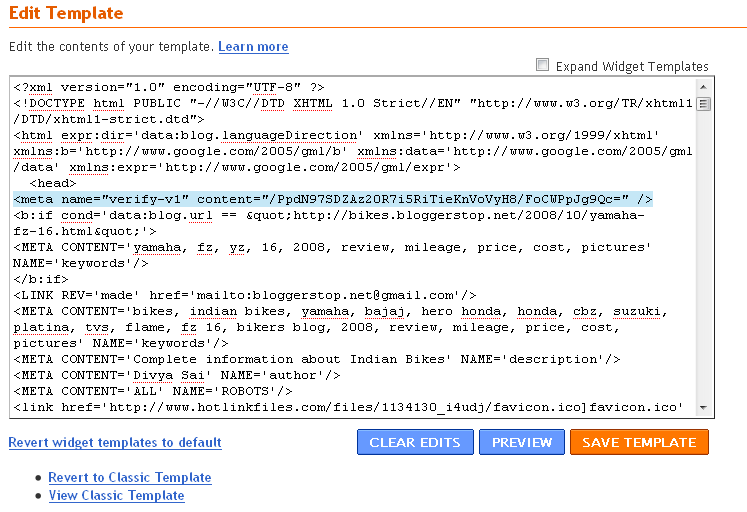
 You've successfully verified http://bikes.bloggerstop.net/.